
Keyboard Shortcuts
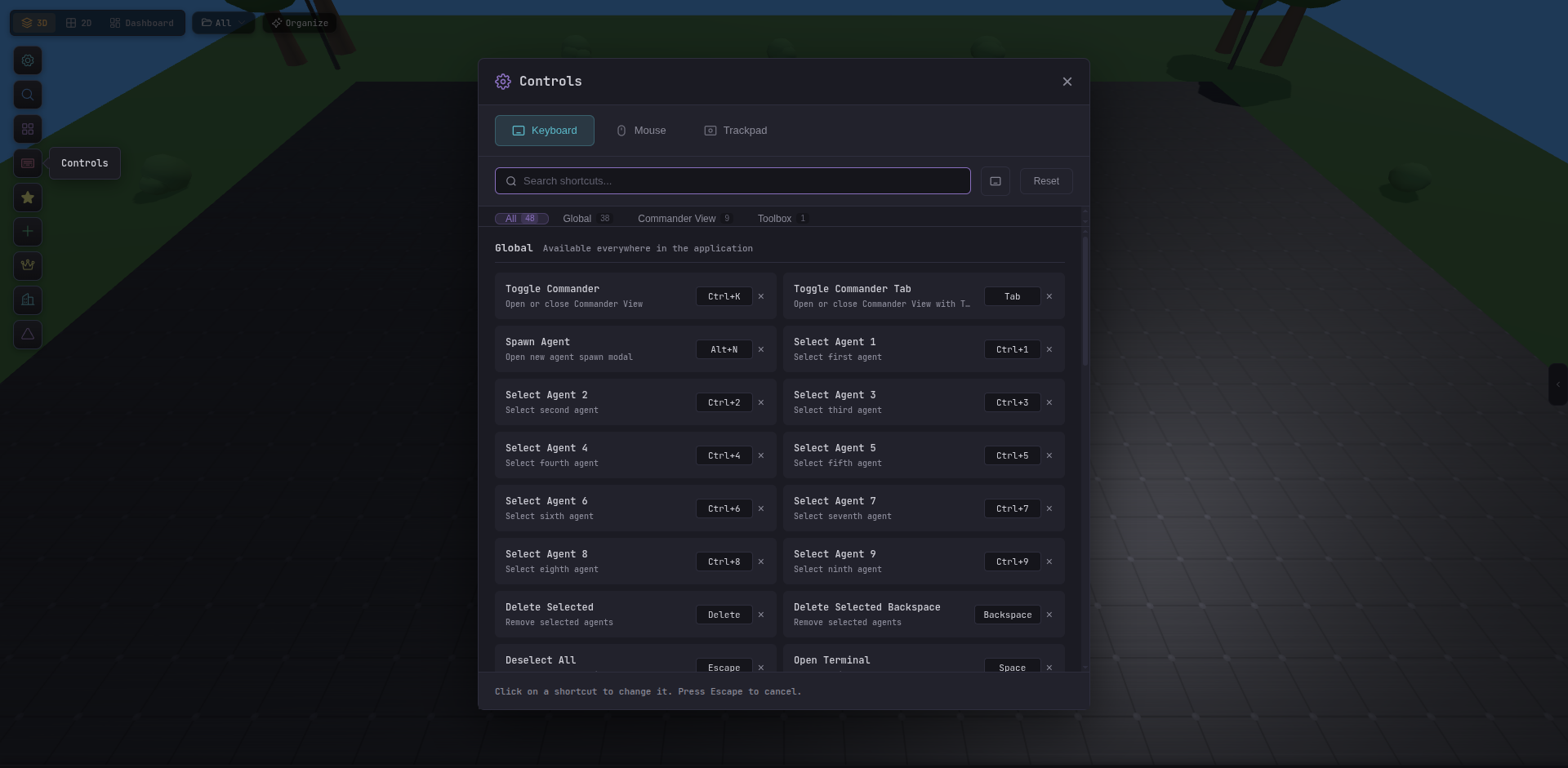
Tide Commander is designed to be keyboard-driven. All default bindings are listed below; every one of them can be reassigned in Settings → Controls.
Navigation
| Key | Action |
|---|---|
1 2 3 4 | Quick-select the first four agents |
Alt + 2 | Cycle view mode: 3D → 2D → Dashboard → Commander |
Alt + S | Toggle the agents sidebar |
Alt + R | Toggle the right-hand inspector panel |
Alt + E | Toggle the file explorer |
Agent actions
| Key | Action |
|---|---|
Alt + N | Spawn a new agent |
Alt + J | Navigate to the previous message in the terminal |
Alt + K | Navigate to the next message in the terminal |
Global search
| Key | Action |
|---|---|
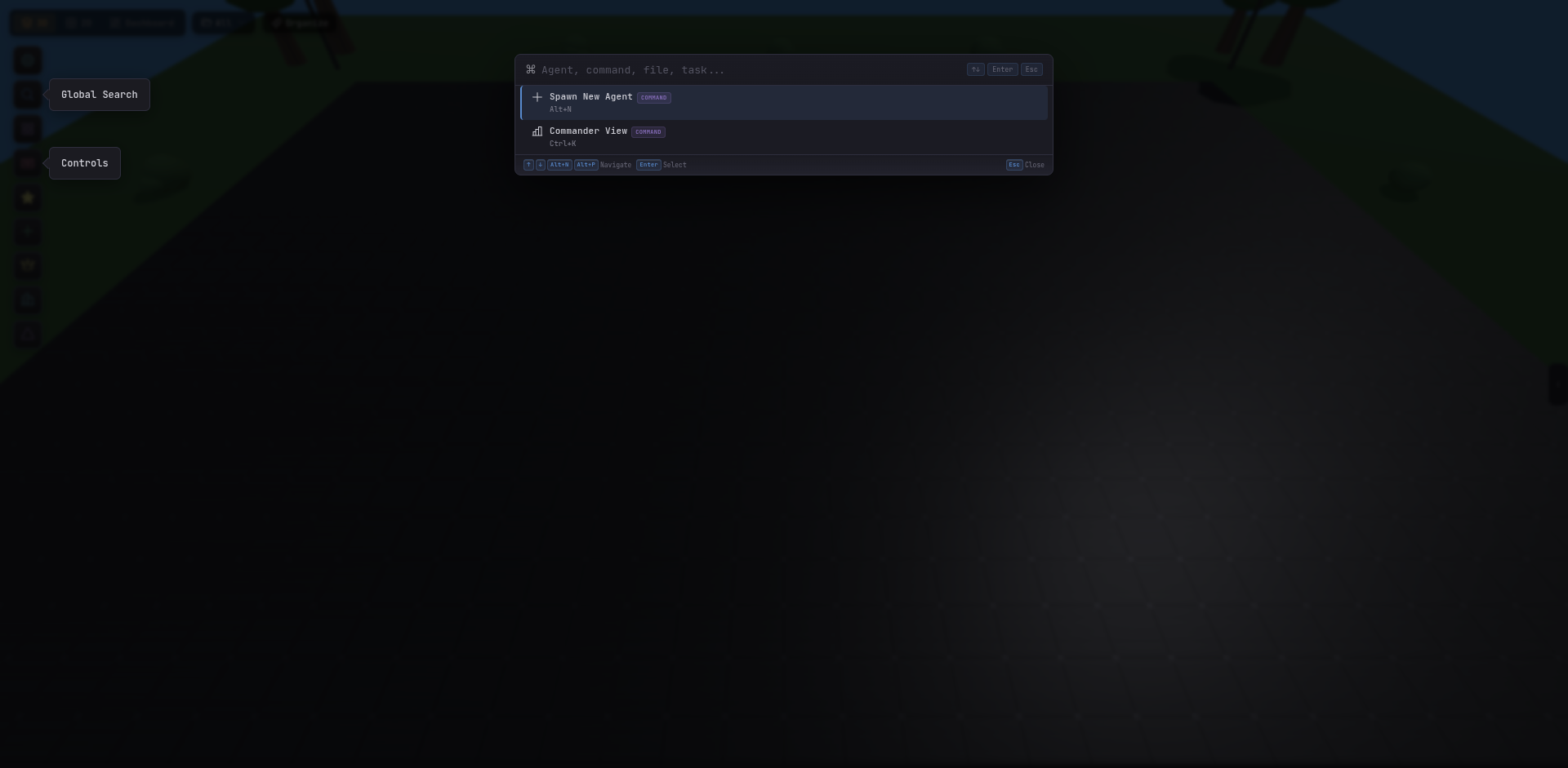
Ctrl + K | Open Spotlight search (command palette) |
Alt + P | Alternative binding for Spotlight search |
Spotlight lets you fuzzy-find agents by name, class, or current task; jump to areas; find modified files across all agents; and trigger quick actions — all without touching the mouse.
Controls reference
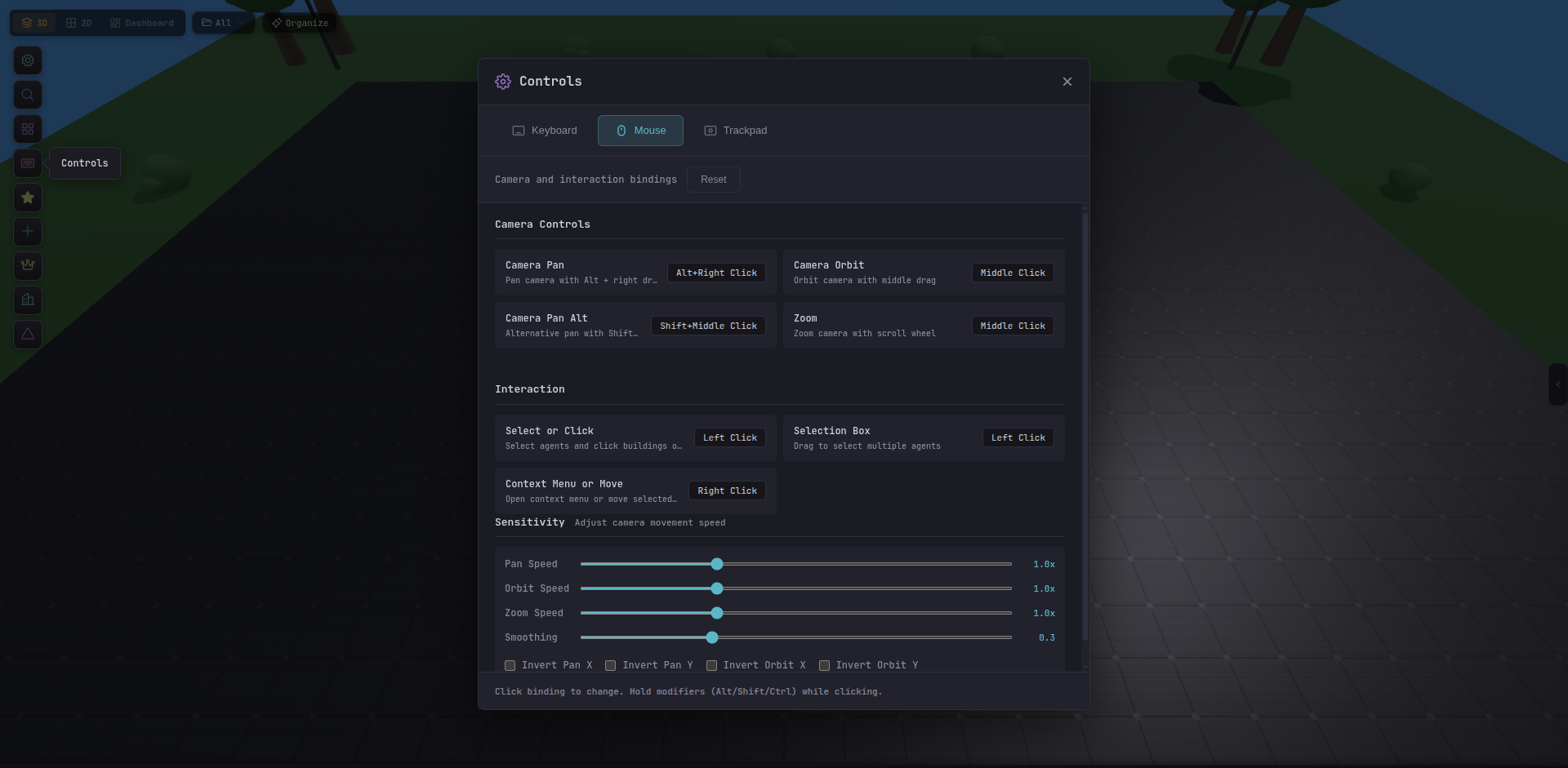
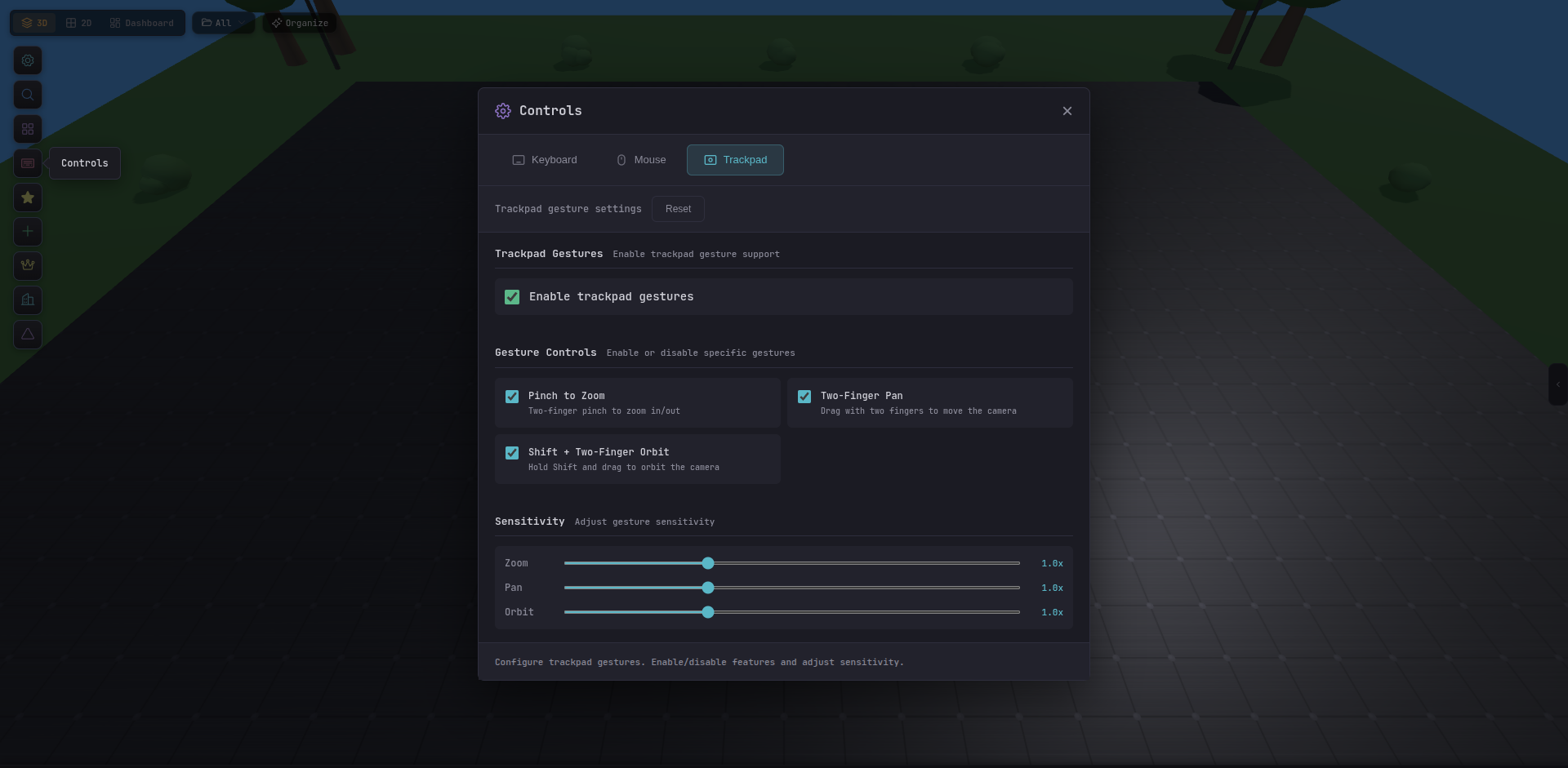
For the full mouse, trackpad, and keyboard binding reference, open the help panel from the bottom-right of any scene view:
Customizing shortcuts
All bindings are configurable in Settings → Appearance → Controls or via the ~/.claude/keybindings.json file for Claude Code-level key mappings.
To reset all shortcuts to defaults, delete the keybindings file and restart Tide Commander.